Learning Korean, one step at a time
Korean lessons with room to read, listen, and practice.
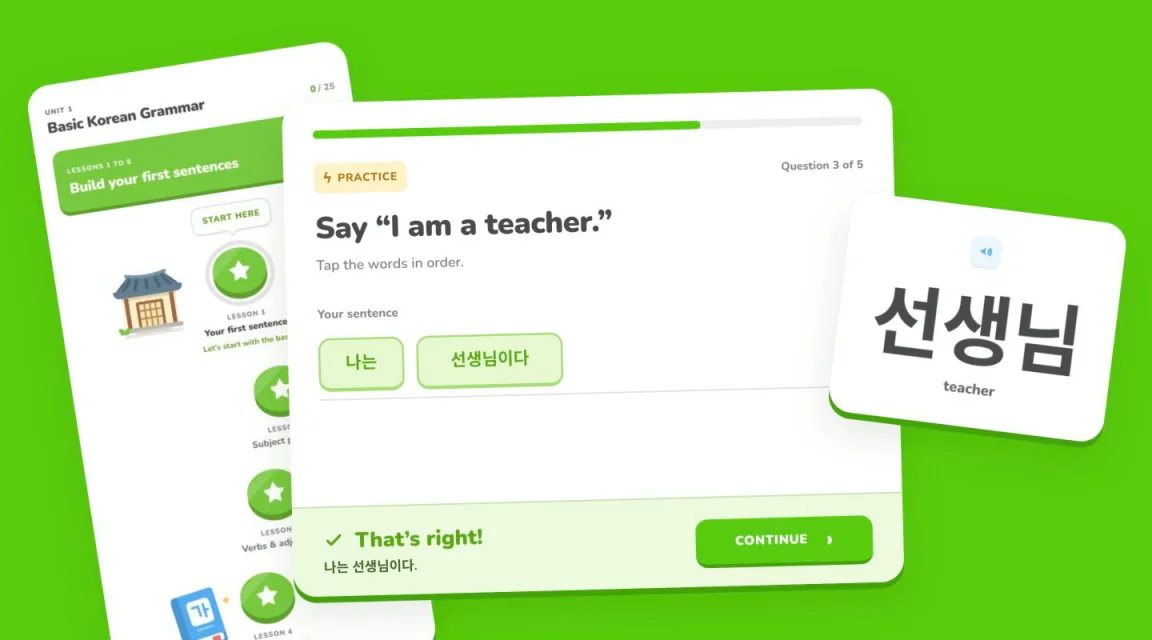
I went to Korea over the summer, and between that and my girlfriend being Korean, I really wanted to start learning the language properly. I looked at a lot of different options, and apps like Duolingo never really got the actual content across, the sentence structure and grammar and the parts of a lesson that genuinely matter. How to Study Korean was the opposite, with really good lessons, but each one is a single long, winding article, which made it hard for me to stay focused, so I wanted to build something that combines the strengths of both.
Splitting lessons up
The idea is that you get all of How to Study Korean’s content, just paced differently. Each lesson is split into sections that cover one grammar idea each, and each section into small steps, so you learn a handful of words right before the grammar that uses them, read the explanation with its examples, translations and recordings next to each other, and then answer a few questions about it before moving on.
Doing that while still keeping everything was the part that took the longest. Every explanation, example, recording and little caveat from the original has to end up somewhere, so the app keeps a faithful copy of each original page next to its own version, with tests that fail if anything from it goes missing. The first eight lessons are in so far, which comes out to 183 steps and 348 words.
Getting the feel right
Getting the feel right took a bit. I used Duolingo as a reference for how it should feel, with bold rounded type, bright green buttons with a real edge to them and a very obvious next step, but without copying it, and without the streaks, hearts and XP. The home screen is a winding path through the lessons, and each lesson opens on an overview with its goals and sections before you start.
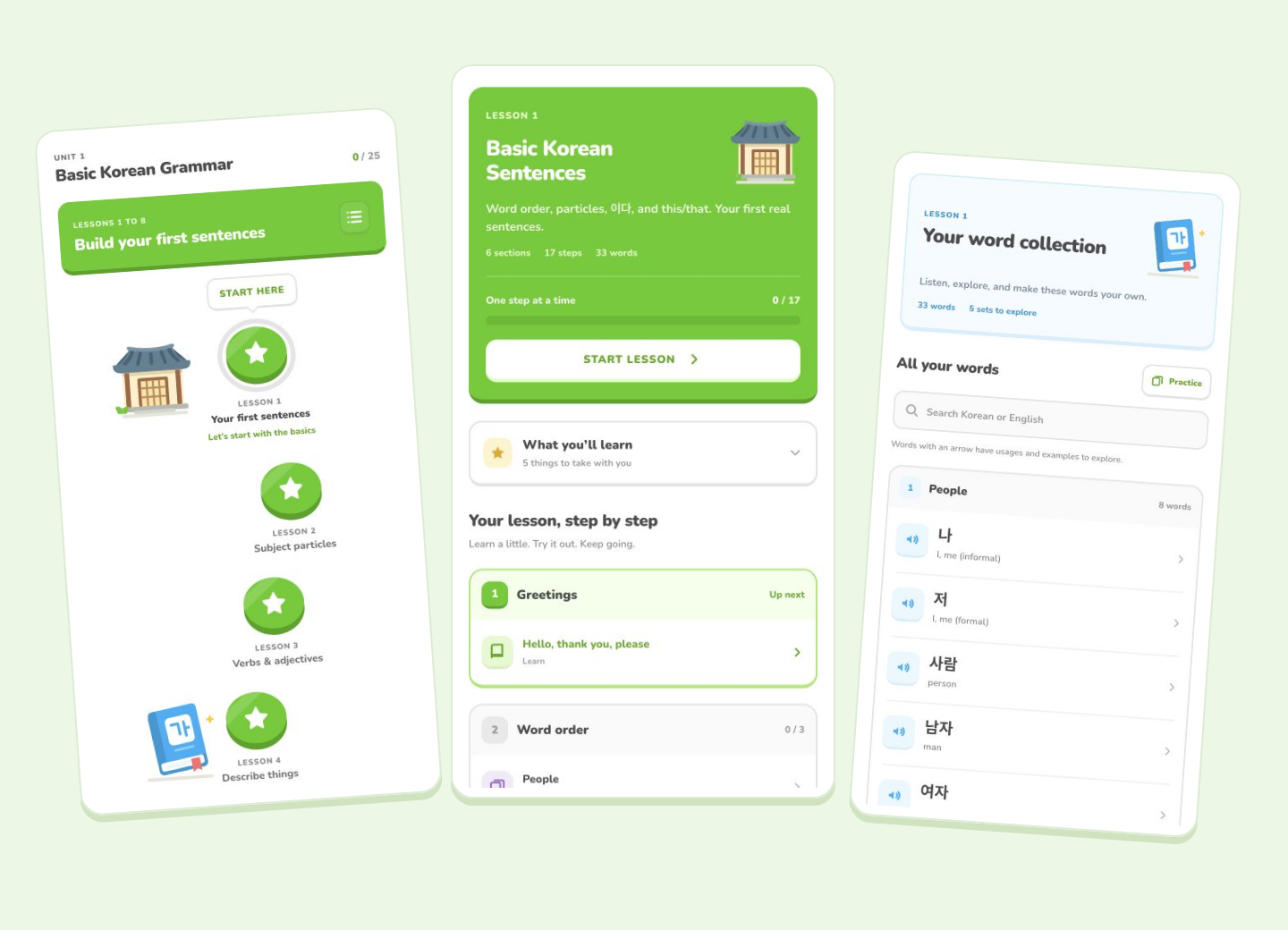
The illustrations went through a few rounds too. I started out with mascots initially, but they didn't quite feel right, so everything is drawn as Korean objects and small bits of scenery instead, like a lantern, a hanok, a persimmon branch or a set of vases, each picked to match the lesson it sits next to, so the lesson about past, present and future gets a calendar and the one about describing things gets vases in different sizes.
It’s also where Taptics came from, since even with all of that, tapping through it on my phone still felt like something was missing.
Where it’s at
It’s been a genuine joy to build. For now I’m using it myself and testing it as I go, and I’m hoping to release it for free sooner or later, with a proper name.